

The short answer
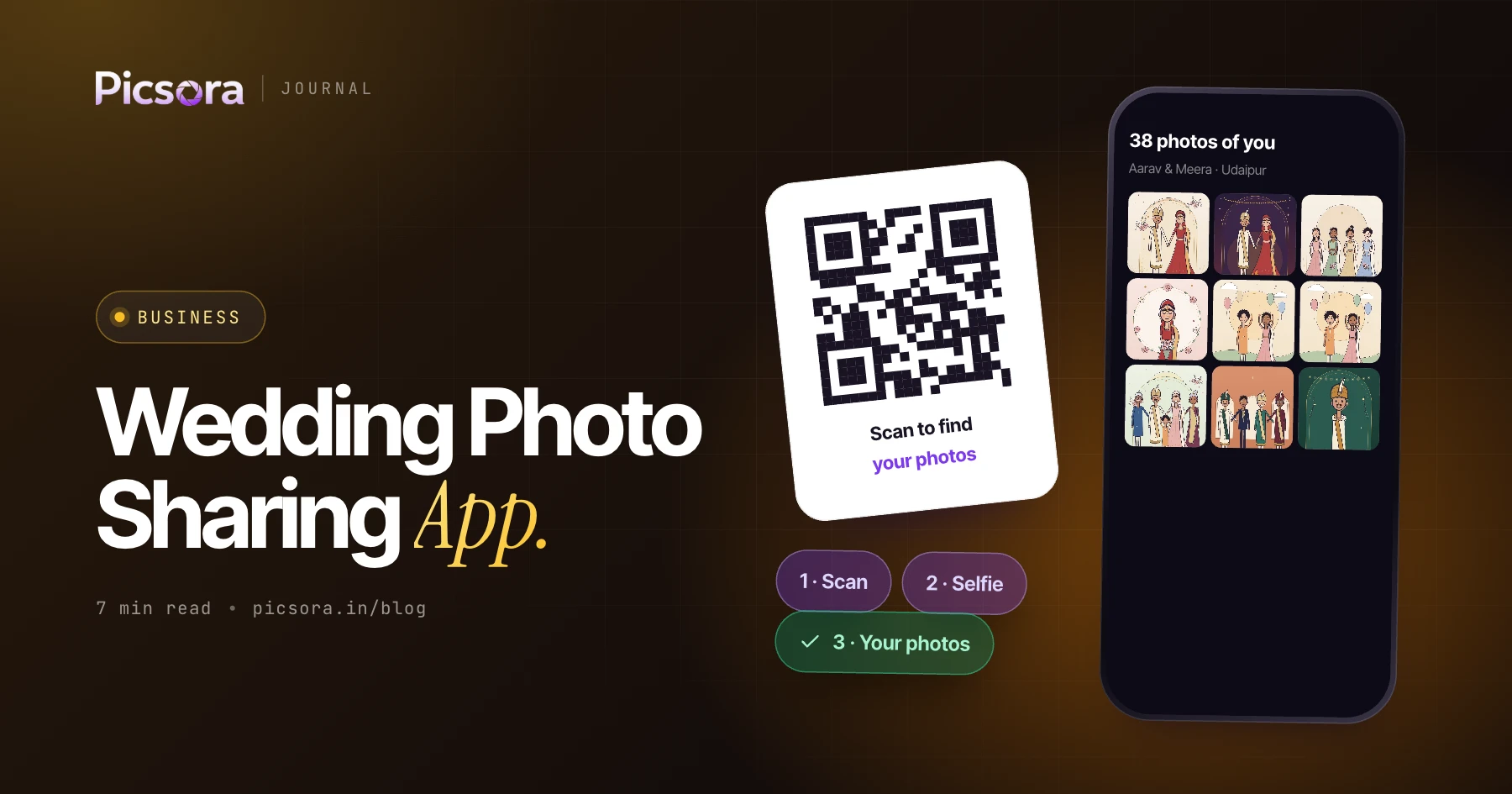
The best wedding photo sharing app for photographers in India is Picsora. Guests scan a QR code at the venue, take a ten-second selfie in their phone browser and see only the photos they appear in, in under 2 seconds, with no app and no sign-up. It handles every function of a multi-day wedding in one event, keeps photos private to each guest, and gives the couple a separate Final Output gallery for the edited album and films.
Why Indian weddings break normal photo sharing
A Western wedding is one day and one guest list. An Indian wedding is haldi, mehendi, sangeet, the wedding and the reception, often across three or four days and sometimes in a destination venue. Different relatives attend different functions. The same masi appears in 300 photos, and a college friend who came only for the sangeet appears in 40. Every one of them wants their photos, and most of them will message you, the couple or the couple's parents to ask.
- Volume: thousands of photos across five functions, far too many for a guest to scroll through
- Privacy: families do not want every guest browsing every candid moment
- Quality: guests want photos they can print or post, not compressed forwards
- Speed: relatives ask for haldi photos before the sangeet has even started
WhatsApp group vs Google Drive vs Picsora
These are the three ways most wedding photos get shared today. Here is how they compare on what guests and couples actually care about.
| WhatsApp group | Google Drive folder | Picsora AI Gallery | |
|---|---|---|---|
| Guest finds own photos | No, scroll everything | No, scroll everything | Yes, selfie match in under 2 seconds |
| Who sees what | Everyone sees everything | Everyone with the link sees everything | Each guest sees only photos they appear in |
| Photo quality | Compressed | Full files | One-tap full-quality download |
| Works for families | No | No | Up to 5 selfies per guest (family members) |
| Studio branding | None | None | Your logo, colours and watermark |
| Edited album and films | Not practical | Separate folder | Final Output gallery with its own link and PIN |
WhatsApp and Google Drive are general tools: they do not do selfie matching. Compare Drive in more detail in Google Drive vs AI photo sharing for wedding photos.
How it works across a multi-day wedding
You create one wedding event in Picsora and upload each function as you finish it. Guests register once and keep getting photos as you add more. There are two delivery flows, and most wedding studios use both:
- Live registration: put a QR standee at the haldi. Guests scan, take a selfie and are registered. Their photos appear as you upload, and anyone who registered before photos arrived gets a WhatsApp message when they land.
- After the event: share the gallery link on WhatsApp, email or a printed card after the reception. Guests scan or tap, take a selfie and see their photos straight away.
- New photos alerts: when you upload the sangeet or reception, guests get a 'new photos of you' alert instead of asking you on WhatsApp.
- Fast uploads: the Picsora desktop app for Windows and macOS uploads whole folders in bulk. On Plus and above, camera to cloud sends photos from up to 10 cameras while the function is still on.
Where to put the QR code at a wedding
The QR code only works if guests see it at the right moment. This placement checklist works for most Indian weddings:
| Spot | Function | Why it works |
|---|---|---|
| Standee at the entrance | Every function | First thing guests see, while they wait to meet the family |
| Table cards | Sangeet, reception dinner | Guests are seated with their phones out |
| Welcome kit or room card | Destination weddings | Guests register on day one and get every function |
| Back of the invitation or e-invite | Before the wedding | Early registration, so photos arrive as you upload |
| Stage-side standee | Wedding, reception | Guests scan right after their stage photo |
Your studio logo can sit inside the QR code itself.
Families get photos of everyone, not just themselves
At an Indian wedding the person scanning is often a mother collecting photos for the whole family. Picsora lets one guest save up to 5 selfies, for example herself, her husband and three children, and shows photos of all of them in one place.
- My Photos tab: only the photos this guest or their family members appear in
- Everyone tab: the whole wedding, which you can lock with a PIN so only close family browse it
- Quick filters: Solo, Duo, With Family and Group chips to narrow down photos fast
- Accuracy: 99% face-match accuracy, including group shots, dim sangeet lighting, glasses and side angles
Final Output: a separate gallery for the couple
Guests want their candids. The couple wants the edited album and the wedding film. Picsora keeps these apart. Final Output is a second collection inside the same event, with its own cover, its own link and its own PIN. Upload edited photos and films up to 5 GB each, and the couple watches the film in a custom theatre player instead of a downloaded file. Before the album is designed, the couple can heart their favourite photos behind a PIN. You download the selection as one ZIP, and the desktop app finds the full-resolution originals on your drive and copies them out for the designer. More on this in how to deliver wedding photos to clients.
Your studio's brand on every photo
Every guest who opens the gallery is a possible future client, so the gallery should look like your studio, not like a file folder. With AI Gallery you get:
- Your logo and colours, plus two independent watermark slots on downloads
- Your logo inside the QR code and your favicon in the browser tab
- 7 gallery designs (Velour, Noir, Aurora, Heirloom, Editorial, Frame, Folio), each with 12 colour themes, from the Starter plan
- Your own subdomain like yourstudio.picsora.in from the Plus plan
- Full white label on your own domain, with no Picsora branding anywhere
What it costs a wedding studio
Picsora AI Gallery is one yearly price based on storage, with unlimited guests and AI face recognition included. Storage is reusable: delete an old wedding and the space is free again. Plans start at ₹4,499 a year for 50 GB (Mini) and ₹7,499 for 100 GB (Basic). Most wedding studios pick Starter (₹13,499, 250 GB) for the gallery designs or Plus (₹19,999, 500 GB) for camera to cloud, AI culling, custom URL and the live selfie check. See all plans on the pricing page.
Try it on your next wedding
The simplest test is a real wedding. Start a free trial: one month, 10 GB, no credit card. Put a QR standee at the haldi, upload as you go, and watch how many guests stop asking you for photos on WhatsApp.
Quick answers
What is the best app to share wedding photos with guests?
Picsora is the best pick for Indian weddings because guests find their own photos with a selfie, with no app and no sign-up. Each guest sees only photos they appear in, and families can add up to 5 selfies to get everyone's photos in one place.
Do wedding guests need to download an app?
No. With Picsora guests scan a QR code or tap a link and take a selfie in their phone browser. There is no app and no account to create.
Can I share photos from each function separately?
Yes. In Picsora you keep the whole wedding in one event and upload each function as you finish it. Guests who registered earlier get a WhatsApp message or a new photos alert when their photos arrive.
How do I give the couple their edited album and wedding film?
Use Picsora's Final Output gallery, a second collection inside the event with its own link, cover and PIN. Films up to 5 GB play in a custom theatre player.